Dhivehi GPT vs Thaana AI
AI tools for Dhivehi are improving fast. More people in the Maldives now use AI for writing, translation, school work, office documents, captions, and social media posts.
Two names appear often in these conversations:
- Dhivehi GPT
- Thaana AI
Both platforms focus on Dhivehi language support. Both can generate text, answer questions, and help users type in Thaana.
But they are not identical.
Some users prefer one for writing quality. Others care more about speech recognition, OCR, or typing speed.
This guide compares both platforms based on features, usability, speed, and practical use cases.
What Is Dhivehi GPT?
Dhivehi GPT is an AI chatbot focused on Dhivehi language interaction. It works similarly to other chatbot systems where you type a prompt and receive a response.
Most users use it for:
- Dhivehi writing
- Basic translation
- Homework help
- Content generation
- General AI chatting
The platform mainly targets users who want simple Dhivehi AI access without advanced office tools.
It is often used casually by students and social media users.
What Is Thaana AI?
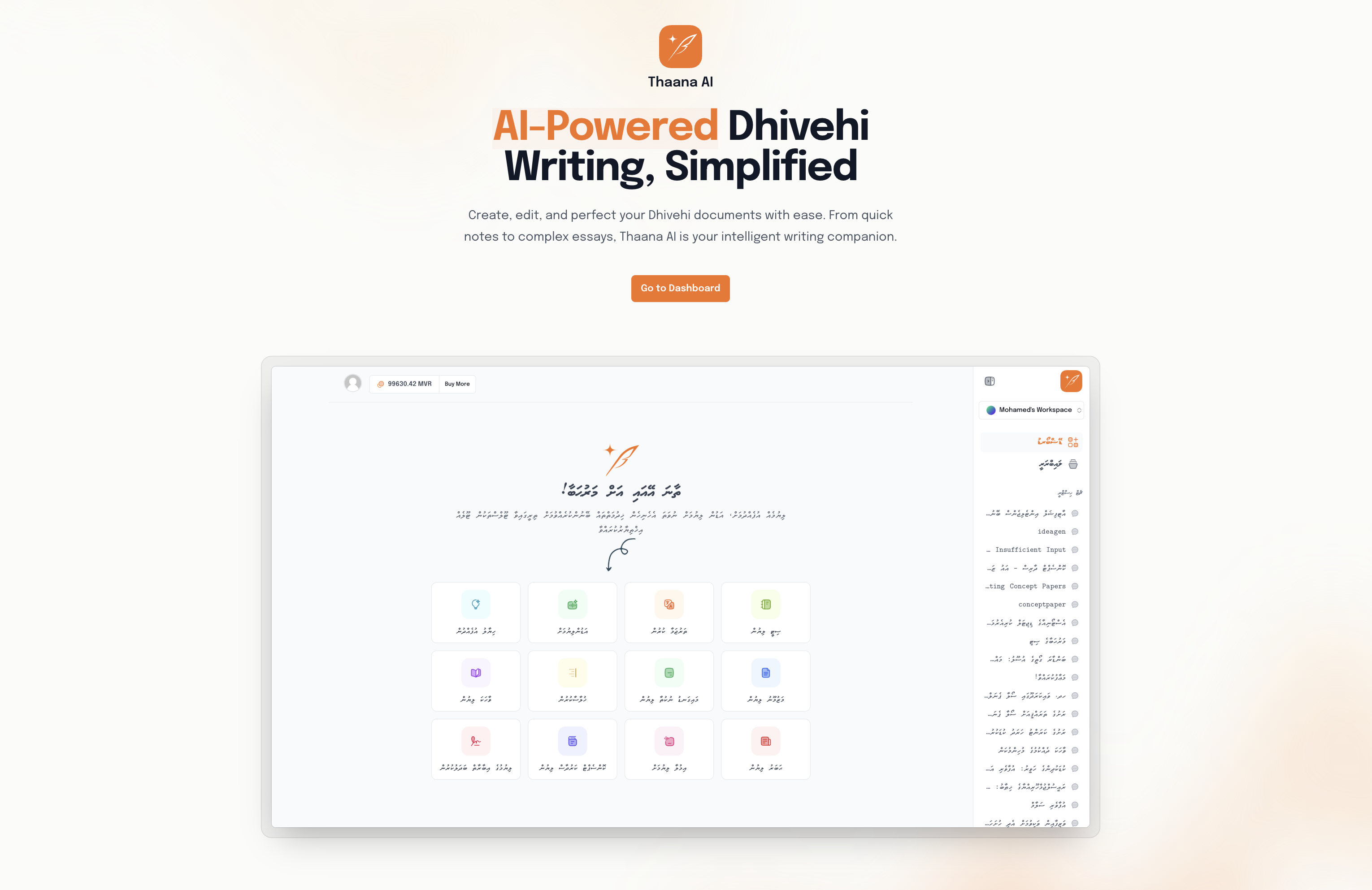
Thaana AI focuses more heavily on Dhivehi productivity tools.
Instead of working only as a chatbot, it includes additional language-based features.
Common tools include:
- Speech-to-text
- Text-to-speech
- Dhivehi OCR
- PDF reading
- Letter generation
- Translation
- Summarizing
The platform targets office users, students, media workers, and businesses that regularly work with Dhivehi documents.

User Interface Comparison
User interface matters because AI tools are often used daily.
Dhivehi GPT usually keeps things simple. The design feels similar to a standard chatbot.
You type a question. The AI replies.
Thaana AI includes more menus and tools because it supports extra features.
For beginners:
- Dhivehi GPT may feel easier
- Thaana AI may feel more advanced
For office work and document handling, extra tools can save time.
Dhivehi Writing Quality
This is the most important category for many users.
Both tools can generate Dhivehi sentences, paragraphs, and captions.
However, quality varies depending on the prompt.
Dhivehi GPT Writing Style
Dhivehi GPT usually performs well with:
- Short replies
- Simple explanations
- Social captions
- Basic conversation
It sometimes struggles with:
- Long formal writing
- Grammar consistency
- Complex sentence structure
You may notice repeated phrases or mixed sentence quality in longer outputs.
Thaana AI Writing Style
Thaana AI often performs better in structured writing tasks.
Users commonly use it for:
- Office letters
- Formal documents
- Reports
- Summaries
- Dhivehi rewriting
Many users report smoother Thaana formatting and cleaner spelling in professional content.
This becomes more noticeable in longer outputs above 300 words.
Translation Accuracy
Translation remains difficult for all Dhivehi AI systems.
Dhivehi is a low-resource language compared to English, Arabic, Hindi, or Chinese.
That means there is less training data available.
Both platforms still make mistakes.
Common Translation Problems
- Wrong sentence context
- Literal translation issues
- Mixed English words
- Incorrect formal tone
- Grammar inconsistencies
Simple sentences usually translate well.
Complex legal, academic, or technical content still requires human checking.
Speech-to-Text Features
This is one of the biggest differences between the platforms.
Thaana AI strongly focuses on speech features.
Users can speak in Dhivehi and convert audio into text.
This helps with:
- Meetings
- Interviews
- Voice notes
- Quick typing
- Accessibility
Dhivehi GPT currently focuses more on chatbot interaction than advanced speech tools.
For users who regularly dictate text instead of typing, Thaana AI currently has an advantage.
OCR and PDF Support
OCR means Optical Character Recognition.
It allows AI to read text from:
- Images
- Scanned papers
- PDF files
- Photos
This feature is especially useful in the Maldives where many old documents exist as scanned files.
Thaana AI includes OCR features for Dhivehi documents.
This can save hours of manual typing.
Examples include:
- Reading old letters
- Converting printed documents
- Extracting text from screenshots
- Digitizing forms
Dhivehi GPT does not strongly focus on OCR tools.
Speed and Performance
Speed matters when using AI daily.
Most users prefer responses under 5 seconds.
Simple prompts on both platforms usually load quickly.
Longer requests may take more time, especially:
- Large documents
- Translation tasks
- Speech processing
- PDF analysis
Internet speed also affects performance.
Users in the Maldives with stable fiber connections generally report smooth performance on both platforms.
Best Platform for Students
Students mainly use AI for:
- Homework help
- Summaries
- Translations
- Essay drafting
- Quick explanations
Dhivehi GPT works well for fast question-and-answer style interaction.
Thaana AI becomes more useful when students need document handling or speech tools.
For example:
- Converting lecture audio into notes
- Summarizing PDFs
- Reading scanned school documents
Best Platform for Office Work
Office environments usually require:
- Formal writing
- Letter generation
- OCR support
- Professional formatting
- Longer document handling
Thaana AI currently fits office use better because of its extra productivity tools.
Government offices, schools, media companies, and businesses may benefit more from these features.
Dhivehi GPT still works for quick writing and brainstorming tasks.
Can These AI Tools Replace Human Writers?
No.
Both tools still make noticeable mistakes.
Human review remains important for:
- Official letters
- News articles
- Legal documents
- School submissions
- Business reports
AI works best as a drafting assistant.
You should still proofread outputs carefully.
Common Problems Users Report
- Incorrect grammar
- Mixed English and Dhivehi
- Repetitive writing
- Wrong context understanding
- Typing inconsistencies
- Translation errors
These issues are common because Dhivehi AI development is still growing.
Larger global languages have significantly more training data.
Why Dhivehi AI Is Difficult to Build
Dhivehi has a smaller online presence compared to major languages.
AI systems require huge amounts of text data.
Languages like English have billions of examples online.
Dhivehi has far less publicly available content.
That creates challenges for:
- Grammar accuracy
- Sentence prediction
- Translation quality
- Speech recognition
- OCR training
Developers usually improve results by adapting larger AI models and training them further with Dhivehi datasets.
Which One Should You Use?
Your choice depends on your needs.
Choose Dhivehi GPT If You Want:
- Simple chatbot interaction
- Quick answers
- Casual writing help
- Basic Dhivehi AI usage
Choose Thaana AI If You Want:
- Speech-to-text tools
- OCR features
- PDF support
- Office document help
- Professional Dhivehi writing
Real-World Example
Imagine a teacher preparing school materials.
Using Thaana AI, they could:
- Scan a printed worksheet
- Convert it into editable text
- Summarize the content
- Create a simplified version for students
A casual social media user may prefer Dhivehi GPT for:
- Writing captions
- Asking random questions
- Generating short posts
- Quick translation help
Both tools continue improving as Dhivehi AI technology grows across the Maldives.